The real reason your iPhone won’t let you decline certain incoming calls might surprise you
Published on Feb 24, 2026 at 9:46 AM (UTC+4)
by Claire Reid
Last updated on Feb 24, 2026 at 9:13 PM (UTC+4)
Edited by
Emma Matthews
If you’re an Apple iPhone user, you’ve probably noticed that sometimes your phone will allow you to decline an incoming call and sometimes it won’t – well, it turns out there’s a reason for it, and it makes a lot of sense.
Picture it: your iPhone is ringing, you grab it to take a look, and it’s someone you’d rather not speak to at that moment in time, but there’s no option to decline the call, only a ‘slide to answer’ banner along the bottom.
It’s probably one of the most annoying features of the iPhone.
But although it seems quite random, there’s actually a reason why you can sometimes decline and sometimes not.
DISCOVER SBX CARS – The global premium auction platform powered by Supercar Blondie
Here’s why your iPhone doesn’t let you decline calls sometimes
Whether you’re a new iPhone user or you’ve been loyal to Apple for years, there are always things to learn about your phone, like this useful safety feature or this built-in blurring tool that could come in handy.
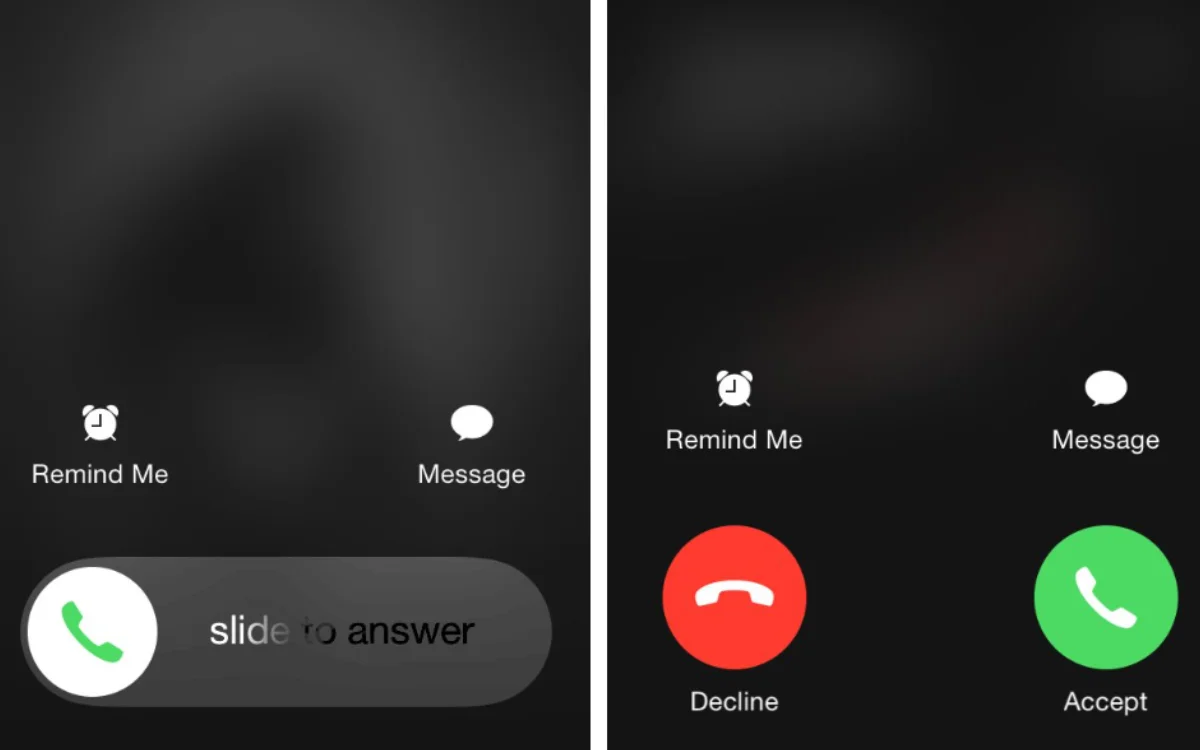
You might also not have realized that the Accept and Decline call functions only appear when your iPhone is unlocked.
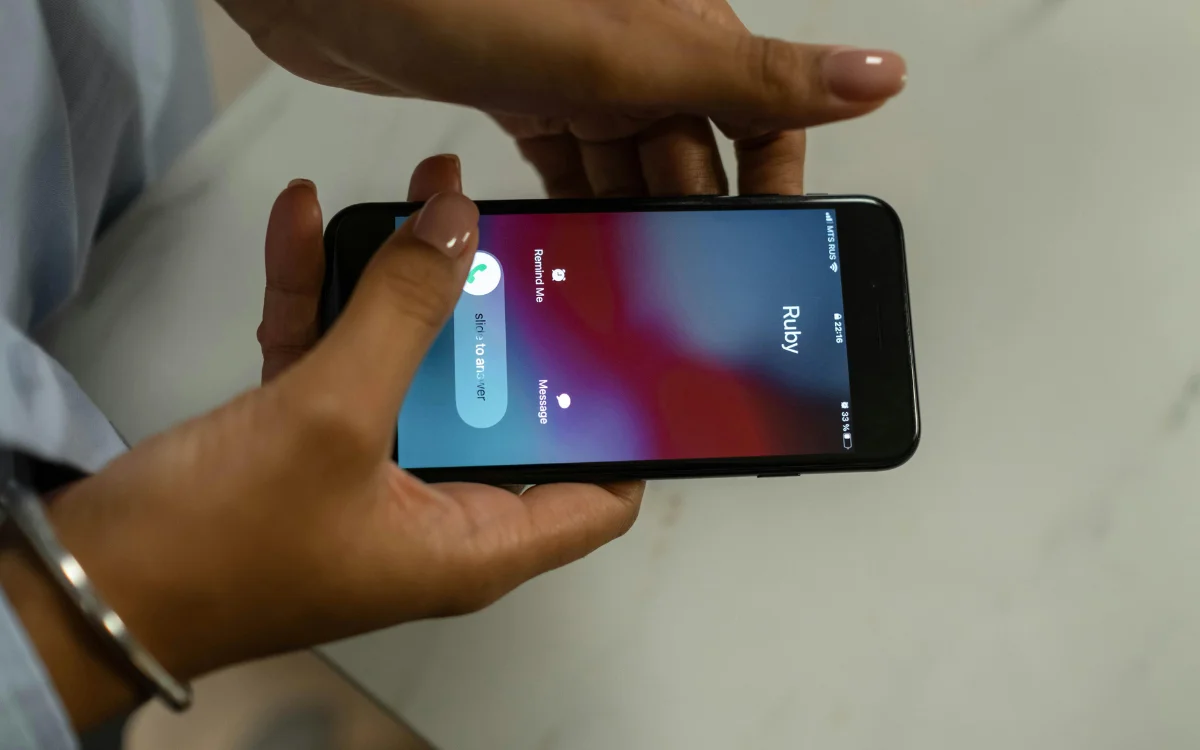
When your iPhone is locked, the only option you have on the screen is to slide it open to answer the call.
Now, while this rubs plenty of iPhone owners up the wrong way, it’s designed to be helpful and to prevent you from accidentally answering or rejecting a call.
When your iPhone is locked, it’s assumed that it’s not in your hand and could be inside a bag or a pocket.
So, if your iPhone began to ring while it was locked, and you reached into your pocket to haul it out to see who’s calling, there’s a chance you could press one of those easy-to-hit Accept or Decline options by mistake.
Instead, Apple has removed them, and the only option is the slider, which is harder to do accidentally.
Although you and countless others might find the feature annoying, it does make good sense and has probably saved you from accidentally declining or accepting a call more times than you know.
Click the star icon next to supercarblondie.com in Google Search to stay ahead of the curve on the latest and greatest supercars, hypercars, and ground-breaking technology
There is still a way to decline a call while your phone is locked
The Apple iOS doesn’t allow you to turn off the automatic feature that removes the decline option when your phone is locked, but there is still a way to get around it.
Yep, you’ll be pleased to know that next time your phone is ringing, and you don’t fancy answering, you don’t need to sit there silently staring at your screen until it goes away.
In future, if you want to decline an incoming call while your phone is locked, you’ll need to use the lock button on the side of your iPhone.
Hit it once, and it’ll silence your iPhone’s ringtone, and if you hit it a second time, it’ll end the call for you and send it straight to voicemail.
That makes life a lot easier, doesn’t it?
DISCOVER SBX CARS: The global premium car auction platform powered by Supercar Blondie
With a background in both local and national press in the UK, Claire moved to New Zealand before joining the editorial team at Supercar Blondie in May 2024. As a Senior Content Writer working on New Zealand Standard Time (NZST), Claire was the first writer on the team to make the site’s output a slick 24/7 operation covering the latest in automotive news.